Guides for landlords · 4 min read

How to run a viewing

Run one good viewing instead of ten awkward ones.

What you get out of it

  • People book a slot themselves, so your evenings stay yours.
  • Everyone gets an answer, which is how good reviews start.
  • The person you choose becomes your tenant in two taps.

By the ez-wg team 4 min readAuf Deutsch lesen

The first step of the viewing time builder: a weekly window on Saturday afternoons, and the choice between on site and online.
Guides

Plan the times

  • Set up one viewing time for the whole flat instead of one per room: people interested in two rooms come once.
  • Group viewings (several people at once) save time. Individual slots of 20 to 30 minutes work better for a social WG, where the conversation matters.
  • If people live far away, offer an online viewing: a video call with a walk through the flat.

On the day

  • Tidy the shared rooms, open the windows, and turn the lights on.
  • Ask your flatmates to be there, at least for part of it. They'll live with the new person too.
  • Show everything: the room, the kitchen, the bathroom, storage, where the rubbish goes.
  • Ask what matters to you: when they'd move in, how long they'd stay, what they do, how they like to live together.
  • Take a short note after each person, while you still remember them.

Afterwards

  • Answer everyone within a few days, including the people you say no to.
  • When you've chosen someone, make them your tenant from the request: the room and their details are filled in, and they confirm.
  • Never ask for money before a contract is signed, and never hand over keys before the deposit and first rent have arrived.
ez-wg

How to do it on ez-wg

Screens from the dashboard, as you'll see them on your phone.

  1. 01

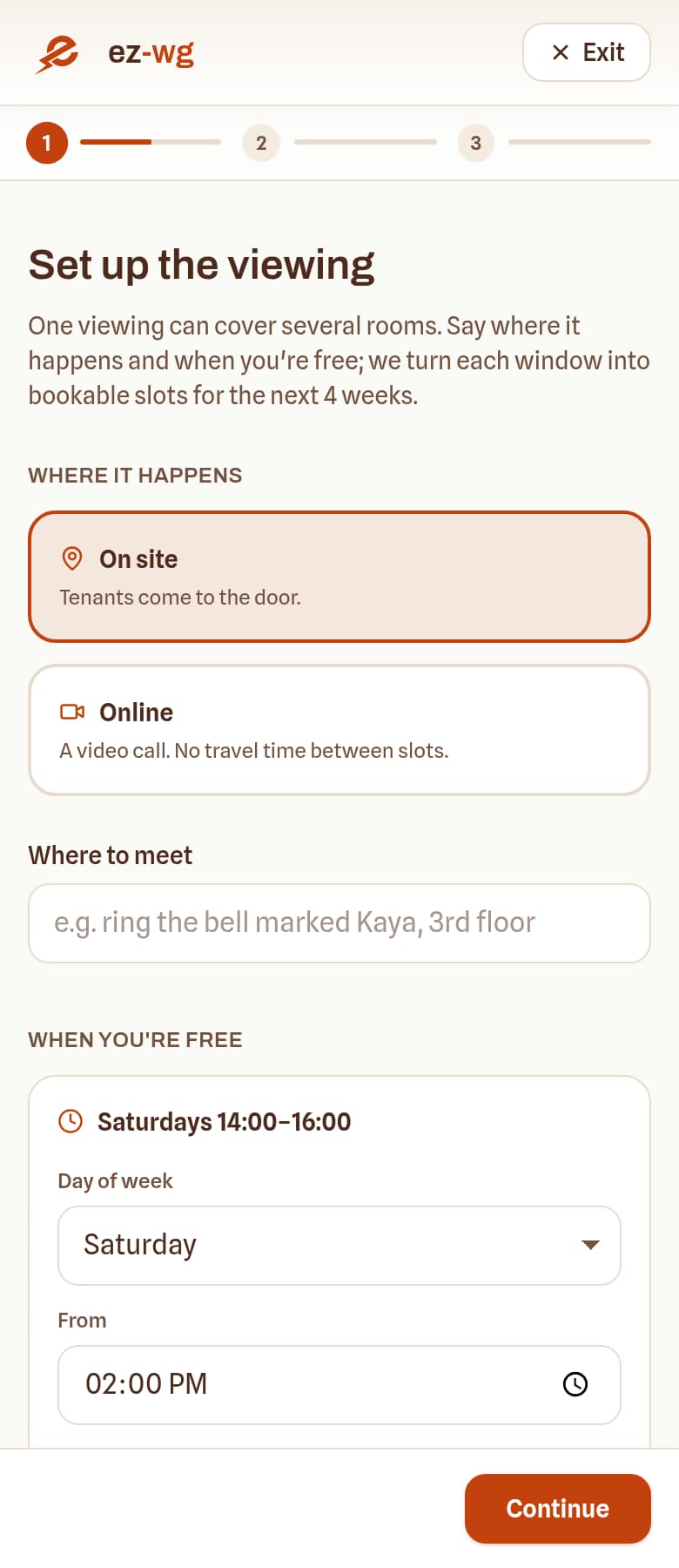
    Set viewing times once

    Pick the days and hours when people can come, for the whole flat. Group slots or one person at a time, on site or by video.

    The first step of the viewing time builder: a weekly window on Saturday afternoons, and the choice between on site and online.
    Screen from the ez-wg dashboard
  2. 02

    See who's coming

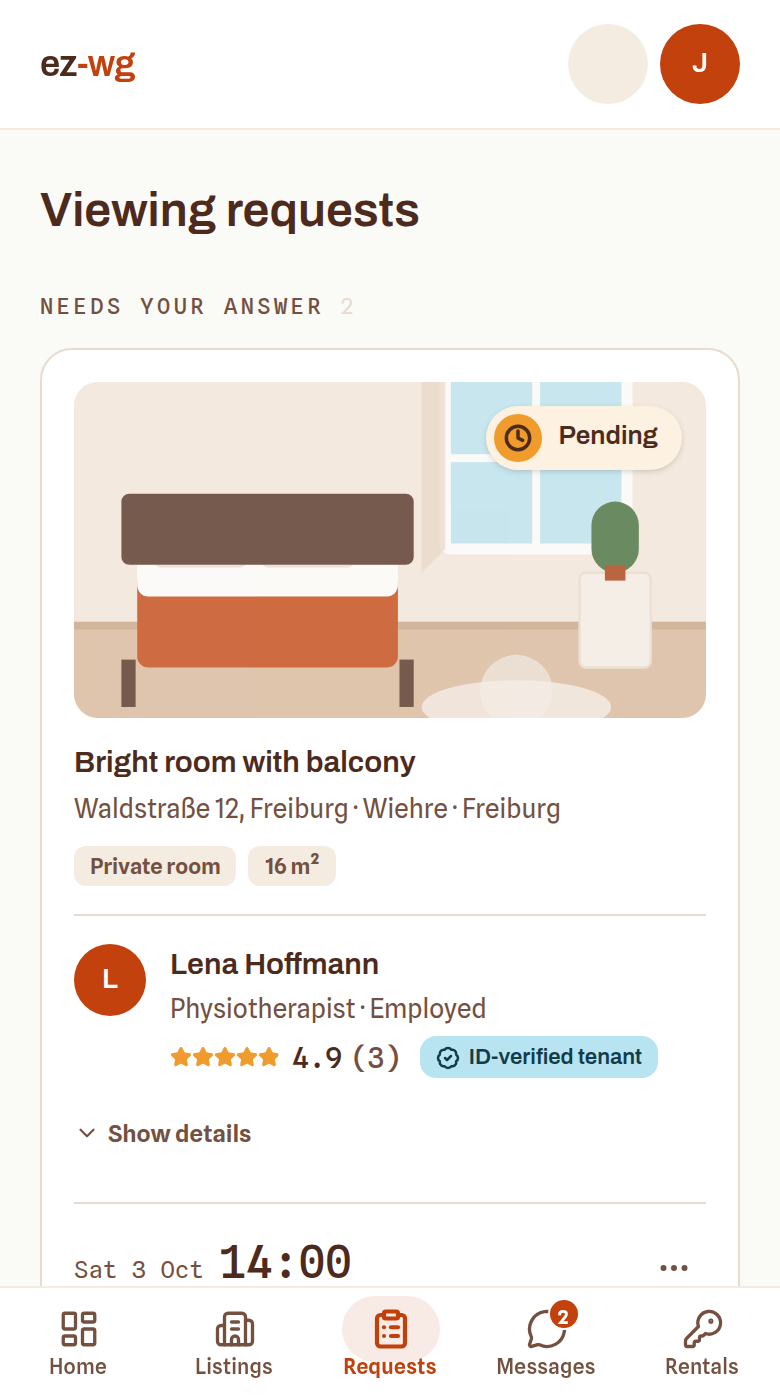
    Requests arrive with the person's profile: what they do, when they'd move in, how long they'd stay. Say yes or no from the card.

    The requests page with two pending viewing requests, each showing the room, the time and the person asking.
    Screen from the ez-wg dashboard
  3. 03

    Make your pick the tenant

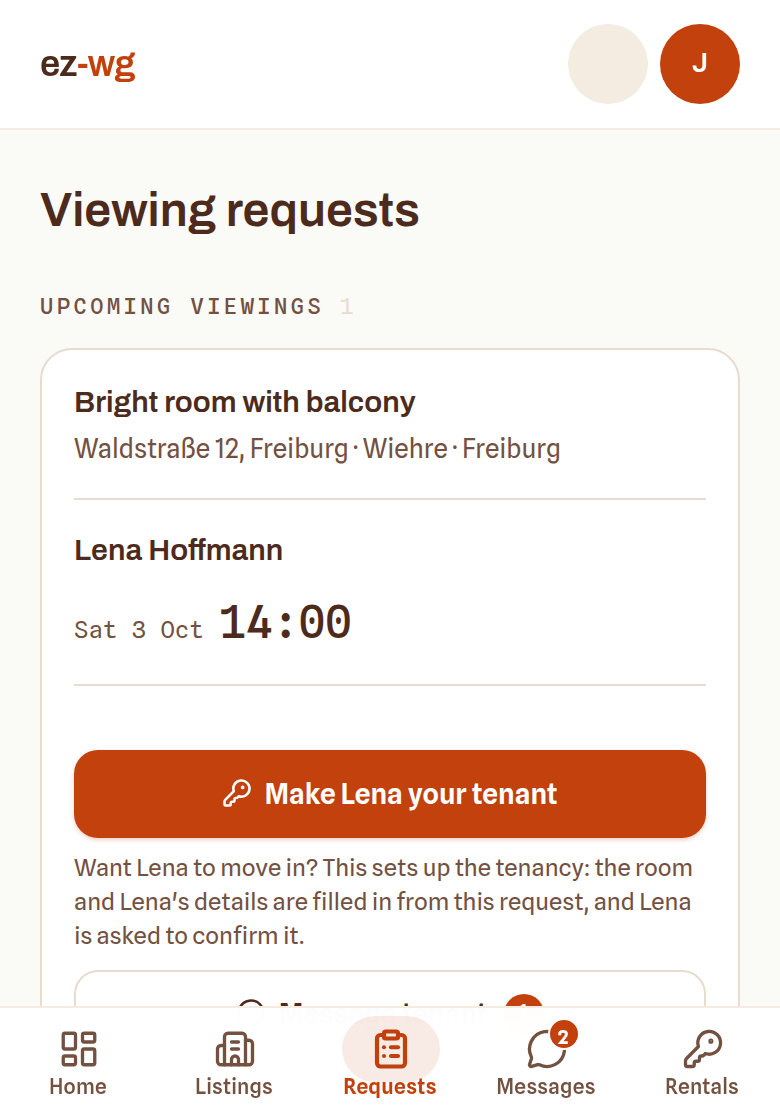
    After the viewing, one button turns the request into a tenancy. The room and their details are already filled in.

    A confirmed request with the button to make the visitor your tenant.
    Screen from the ez-wg dashboard
FAQ

Quick answers

Group viewing or one person at a time?

Group viewings save time when several people want the room. Individual slots of 20 to 30 minutes work better for a social WG, where the conversation decides.

How do I stop no-shows?

Let people pick a fixed slot, share the address only once it's confirmed, and message the day before. On ez-wg the slot, the confirmation and the chat are in one place.

When should I ask for money?

Never before a contract is signed. Keys change hands only after the deposit and the first rent have arrived.

Ready to put your room online?

Publish it in about ten minutes. Free to list, no commission, and every viewing and message in one place.

List your room, it's freeFree to list · no commission