Guides for landlords · 3 min read

How to photograph a room

Ten minutes with your phone in daylight can double the requests you get.

What you get out of it

  • More people open your listing instead of scrolling past it.
  • Viewings with people who already like the room, not surprised ones.
  • No camera, no editing app, no money spent.

By the ez-wg team 3 min readAuf Deutsch lesen

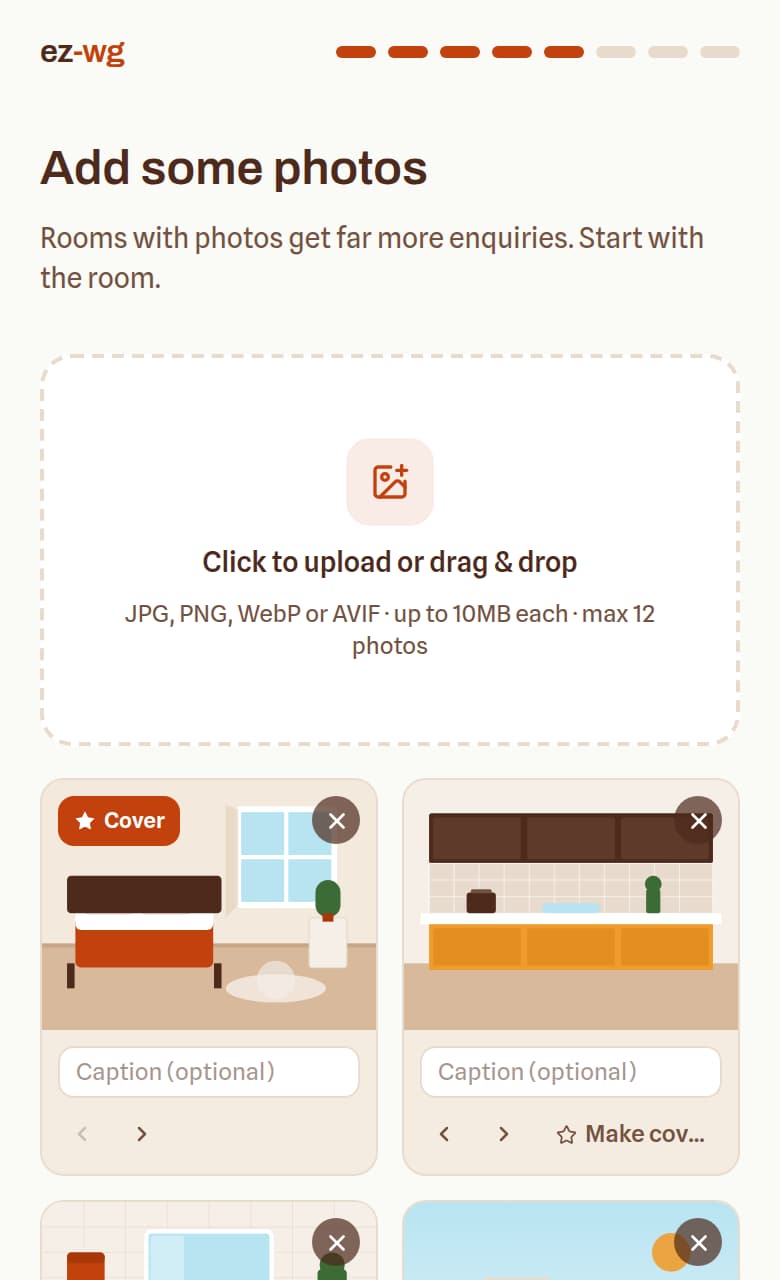
The photo step of the room builder: an upload area and four photos, the first marked as the cover.
Guides

Before you shoot

  • Tidy up: make the bed, clear the desk and the floor, and hide cables, laundry and bins.
  • Open the curtains and shoot in daylight, ideally late morning. Turn the lights on as well, even by day.
  • Wipe the phone's lens. A smudge makes every photo look hazy.

How to shoot

  • Hold the phone horizontally, at chest height, standing in a corner. That shows the most of the room.
  • Keep the phone straight: walls should be vertical, not leaning.
  • Use the normal lens, or 0.5x only if the room still looks like its real size. A wide angle that makes 12 m² look like 25 m² only disappoints at the viewing.
  • Leave people and personal photos out of the pictures.

What to show

  • The room from two corners, the window and the view, and any storage.
  • The kitchen, the bathroom, the living room or balcony, and the hallway: tenants choose the flat as much as the room.
  • The building from outside and the street, if they're nice.
  • Put the brightest, widest photo of the room first. It's the one shown in search results.
ez-wg

How to do it on ez-wg

Screens from the dashboard, as you'll see them on your phone.

  1. 01

    Add photos to the room

    Upload up to 12 photos straight from your phone. They go up as you pick them, so you can keep going while they load.

    The photo step of the room builder: an upload area and four photos, the first marked as the cover.
    Screen from the ez-wg dashboard
  2. 02

    Pick the cover and the order

    Star the brightest, widest shot as the cover. Use the arrows to put the room first and the hallway last.

  3. 03

    Check how it looks in search

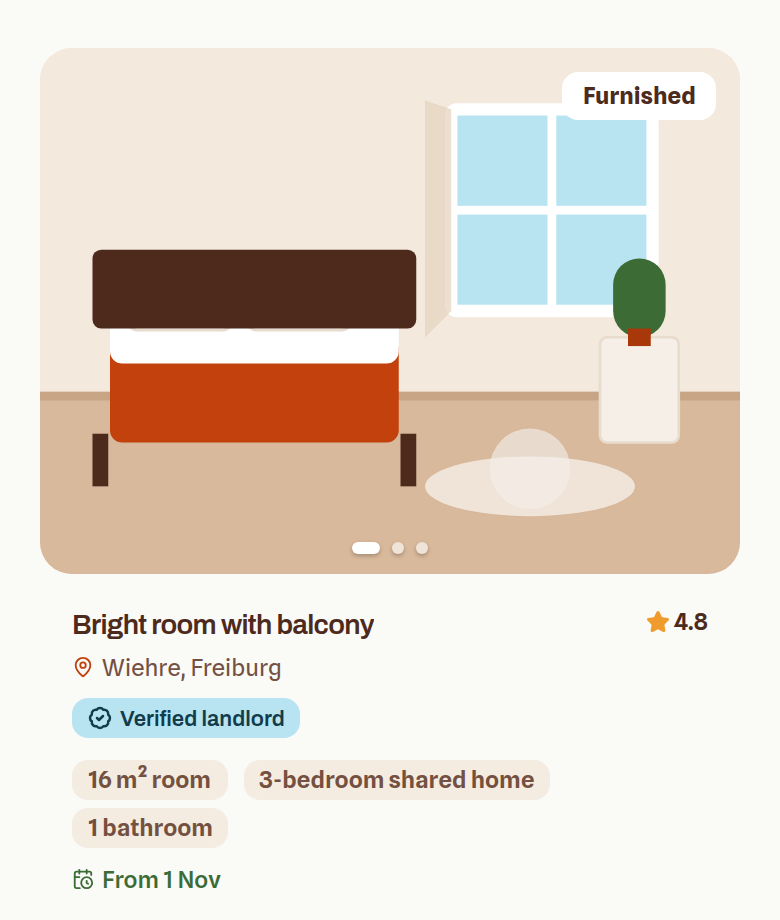
    The cover is what tenants see in the results, right next to your rent. If it makes you want to tap, it's the right one.

    A room card as it appears in ez-wg search results: the cover photo, the title, the rent and the facts.
    Screen from the ez-wg dashboard
FAQ

Quick answers

How many photos should a room listing have?

Six to ten. The room from two corners, the window, the storage, the kitchen, the bathroom, one shared room, and the building if it's nice.

Which photo should come first?

The brightest, widest shot of the room itself. It's the one shown in search results, and it decides whether anyone opens the listing at all.

Do I need a proper camera?

No. A phone in daylight, held straight at chest height, beats a camera in bad light. Wipe the lens first.

Ready to put your room online?

Publish it in about ten minutes. Free to list, no commission, and every viewing and message in one place.

List your room, it's freeFree to list · no commission